
Printing · 6 min read
How to Print Pokémon Placeholder Cards That Fit
Print Pokémon placeholder cards at true size, 63 × 88 mm: the settings, paper and cuts that fit a 9-pocket page, and how to print only the missing ones.
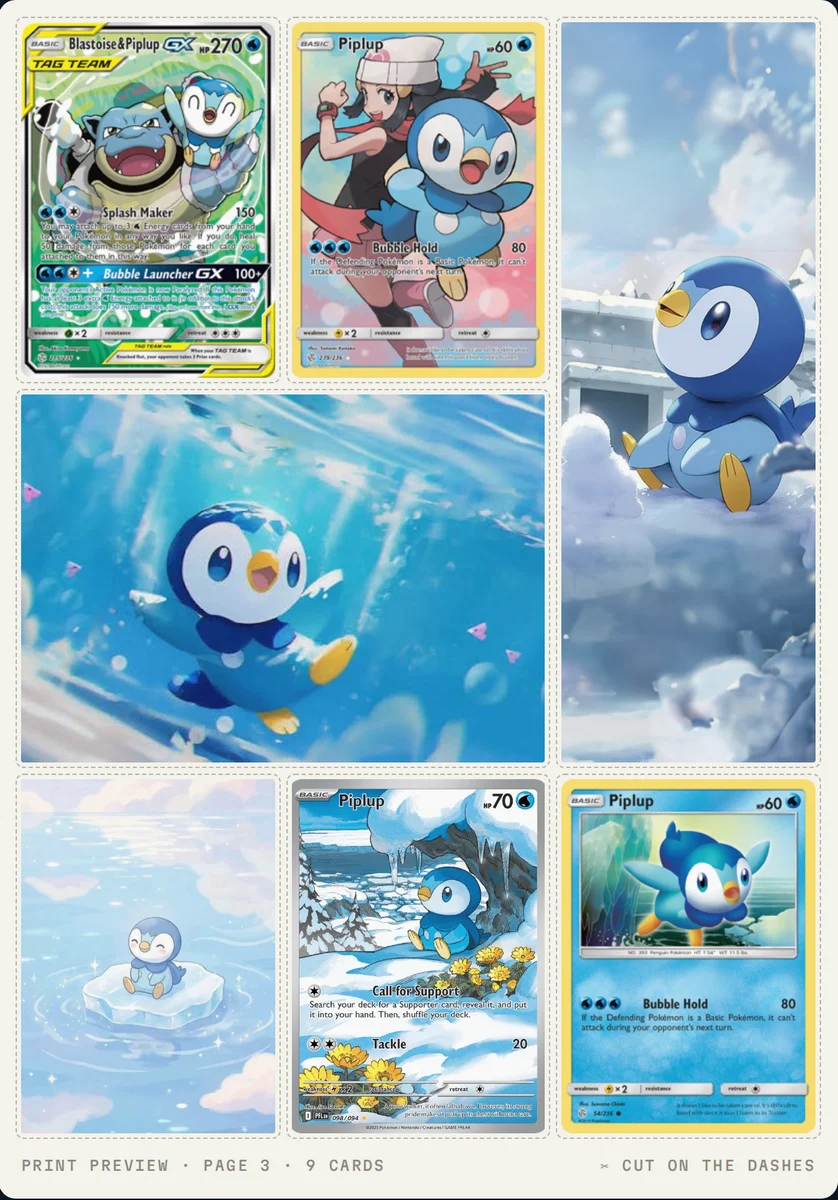
A placeholder card is a printed stand-in that holds a pocket in your binder until you own the real card. To make one fit, print it at true card size, 63 × 88 mm, at 100% scale, then cut on the guide line and slide it into the pocket. Done for every card you still need, it turns a half-finished binder into a clear to-do list: each placeholder shows what is missing and exactly where it goes.
This guide covers the size, the print settings that keep it, paper and ink, and how to print only the cards you are missing.
A placeholder holds a pocket, nothing more
A placeholder is not a proxy. It is not for play, not for sale, and it should never pass as a real card. Its only job is to keep a page finished while you look for the card that belongs there.
That is also why it works as a list. An empty pocket says "something goes here". A placeholder says which card, from which set, in which position. Pokébinder (pokebinder.xyz) started that way: printed placeholders became a hunting list my daughter could carry to card shows (the story is on the About page).
The size is 63 × 88 mm, not 2.5 × 3.5 inches
A standard Pokémon card measures 63 × 88 mm. It is usually written as 2.5 × 3.5 inches, but that is a rounding: 63 × 88 mm is about 2.48 × 3.46 inches, and 2.5 × 3.5 inches is 63.5 × 88.9 mm.
Half a millimetre sounds like nothing, but it adds up across a sheet. Three cards stacked at 88.9 mm are 266.7 mm tall; at 88 mm they are 264 mm. If a template is built on the rounded inches, the placeholders come out slightly large, and on a tight page the last row may not fit the paper at all. Pocket sizes vary by binder, so measure your own page if a placeholder sits loose.
Print settings that keep the size
Most placeholders that come out the wrong size were printed at the wrong scale. Before you print a full binder:
- Set the scale to 100%, "Default" or "Actual size". The name depends on the browser or PDF reader.
- Turn off "Fit to page", "Shrink oversized pages" and any other fit option. A fit option resizes the page to the paper, which changes the card size.
- Leave the margins on the default.
- Print one test sheet and measure a card. It should be 6.3 cm wide and 8.8 cm tall.
If you save the sheet as a PDF and print it later, the same rule applies in the PDF reader. In Adobe Acrobat, "Fit" scales the page to the printable area, while "Actual size" prints without scaling. Use Actual size for anything that has to measure exactly.
A4 or US Letter
Both work. Pokébinder lays out nine cards per sheet, three by three, with a 0.5 cm page margin:
| Width | Height | |
|---|---|---|
| Card block (3 × 3) | 19.6 cm | 26.4 cm |
| A4 inside the margin | 20.0 cm | 28.7 cm |
| US Letter inside the margin | 20.59 cm | 26.94 cm |
Letter is the tight one: it leaves about 5 mm of height to spare. That is why the rows print edge to edge with no gap between them, while the columns keep a 3.5 mm gap. When you cut, one cut separates two rows, so a sheet takes fewer cuts than nine separate outlines would.
Paper and ink
Plain paper is enough for a placeholder. It is cheap, any printer takes it, and it does the job: it fills the pocket and names the card. Heavier card stock feels closer to a real card if you want that, but it is not required.
Printing in greyscale saves a lot of colour ink across a full binder. It also makes a placeholder easy to tell apart from a real card at a glance, which matters on a page where both sit side by side.
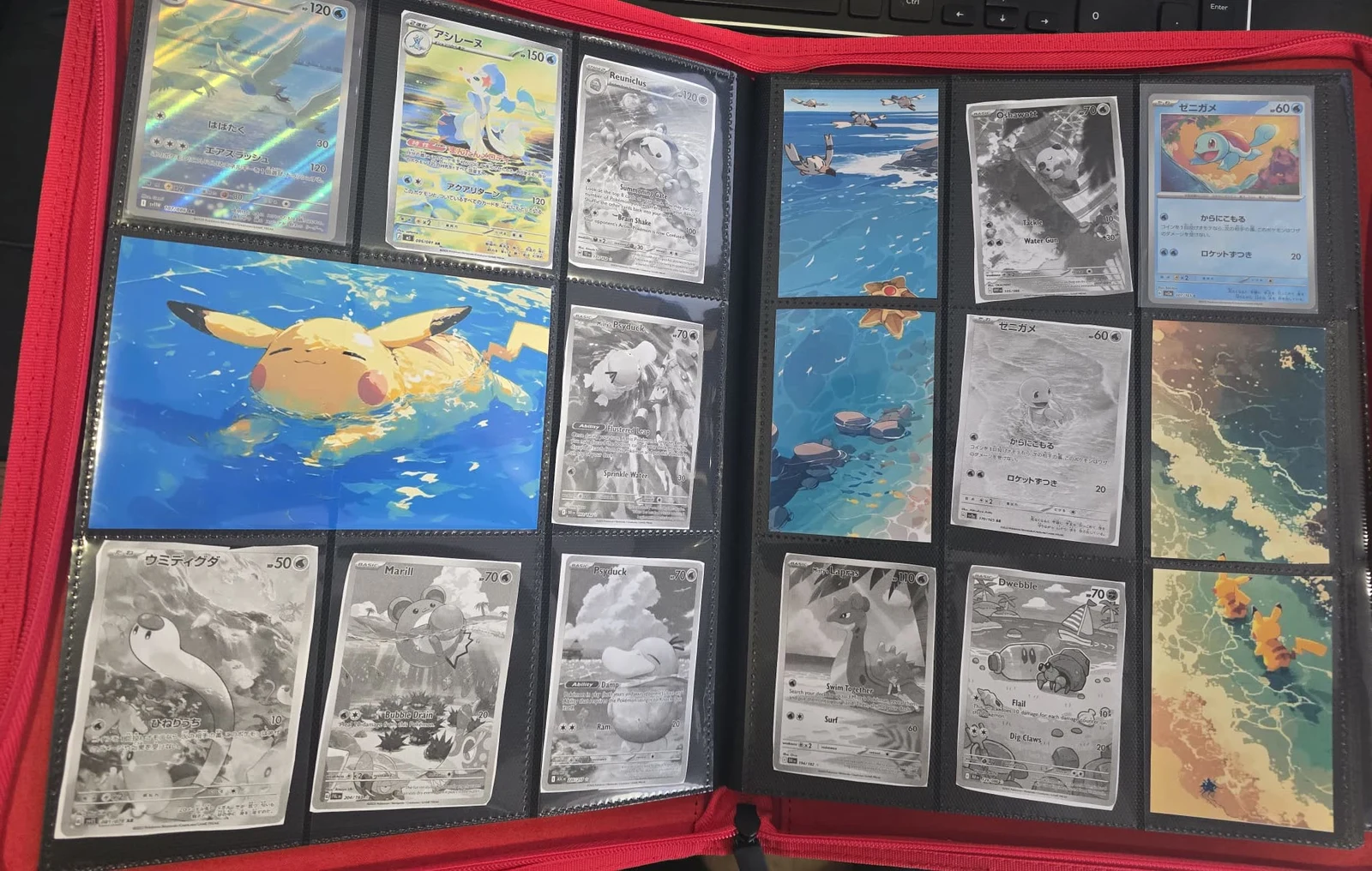
If your page uses artwork that spans more than one pocket, the Michi method guide covers how to size and crop it.
Print only the cards you are missing
A full binder is mostly cards you already own. Printing every page wastes paper and ink on pockets that are already done.
Pokébinder has two print options. Whole binder prints every page exactly as you arranged it, artwork included, so you can see or replace a full page. Missing only prints just the cards you marked as not owned yet, packed onto full sheets of nine. It does not keep their pocket positions, because the placeholders are cut apart anyway, and it leaves the artwork out.
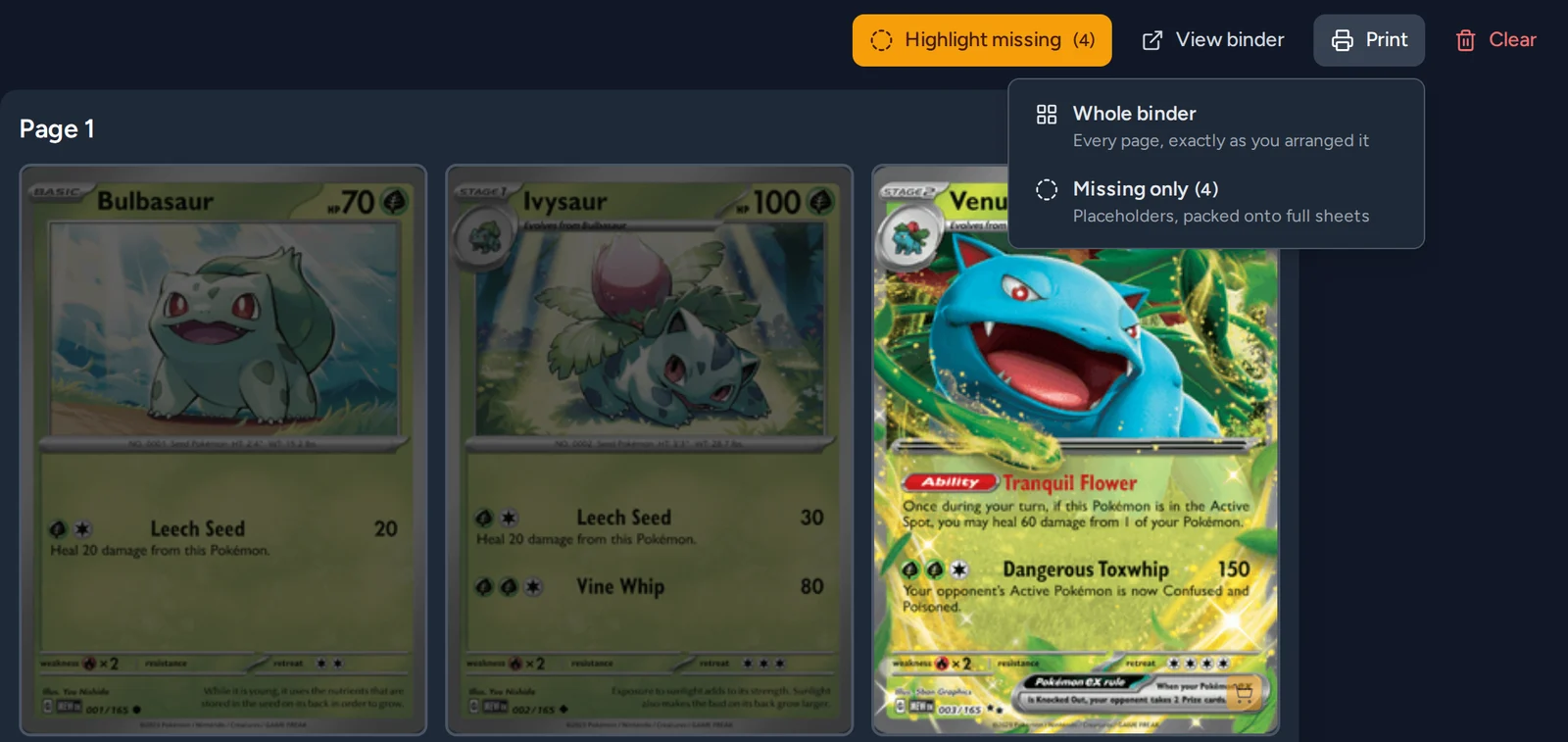
To use it:
- Add the cards to your binder pages in the order you want them.
- Mark each card you do not own yet as missing.
- Open Print and choose Missing only.
- Cut out the placeholders and put each one in its pocket.
When the real card arrives
Slide the placeholder out and the real card in. Nothing else on the page moves, so you never reorganise a binder because you bought one card. Then mark the card as owned, and it drops out of the next "missing only" print.
For more on sizes, paper and binder fit, see the FAQ.